

Build your design copilot
A step-by-step guide to using AI as a design partner to boost your craft.

Hey there! This is a 🔒 subscriber-only edition of AI First Designer (by ADPList) 🔒, to help designers transition into successful AI-First builders. Members get access to proven strategies, frameworks, and playbooks.
For more: 🏛️ Get free 1:1 mentorship | ⭐️ Be first to win in career as an AI-First Designer | 📘 Claim your AI Design Guide for free.
This newsletter is proudly supported by Appy AI.

Turn your design instincts into income. Appy AI helps you package your expertise into AI-powered tools that handle the busywork—like research, accessibility checks, and design reviews — so you earn money while clients get faster, sharper decisions powered by your taste.
Hi friends,
As someone who works closely with designers and founders, I’ve noticed something interesting: Designers aren’t overwhelmed because design is hard…
They’re overwhelmed because context is never in one place.
Every design team has a universe of unwritten rules: the tiny system decisions, the invisible preferences, the “don’t do this again” mistakes, the visual quirks only insiders understand. 🥹
And no matter how talented the designer is, they waste hours every week simply recreating the same mental map: where the tokens live, how the components behave, why a past decision was made, which version is the right version, and what the brand is trying to express right now.
A few days later, I ended up chatting with a design manager who told me something similar:
“We don’t need more tools. We need something that remembers everything we forget.”
And that’s when it clicked for me.
Designers don’t need AI for inspiration; they already have that. They need AI for structure, memory, consistency, and speed. They need a partner that remembers the rules they keep forgetting, catches inconsistencies they no longer see, and understands the brand as deeply as the team does.
Not a generic design bot. Not an AI that spits out templates. But a Design Copilot that knows your brand, your system, your files, your patterns, your way of thinking.
So this newsletter is about exactly that: how to build a Design Copilot that behaves like a senior teammate — one that you can onboard, train, and collaborate with the same way you would a real designer.
By the end of this newsletter, you’ll learn how to:
Set up a design AI copilot with clear personality and behaviors
Train it on your brand, design system, and team rituals
Build an AI memory using your documents and assets
Create initiative-specific threads for real design work
Use AI for critiques, explorations, audits, and decision-making
This post is inspired by Lenny’s copilot for product managers!
Let’s dive in.
What can a design copilot actually do?
A design copilot isn’t about replacing creativity — it’s about expanding what designers are capable of. One design lead told me something recently that reminded me of a quote I love:
“We’re not overwhelmed because the work is hard. We’re overwhelmed because the context is scattered.”
And that’s exactly where a copilot becomes transformative.
Once design teams build a copilot that understands their brand system, tokens, rules, and patterns, they stop using AI for “quick answers” and start using it to think with them. Designers use their copilots to explore directions, challenge assumptions, analyze flows, and apply design principles with more clarity than they could alone.
Their copilots help them brainstorm creative territories, refine concepts, surface edge cases, and identify where a journey feels confusing or incomplete. They use them to run pattern analysis, evaluate hierarchy, compare variations, and articulate rationale when the work is still rough and fragile.
And suddenly, the things that used to feel heavy no longer do.
Because once the copilot knows your components, your naming conventions, your brand personality, your spacing rules, your accessibility guidelines, and your team’s taste, it becomes a partner that handles the operational burden designers were never meant to carry.
Design teams use these copilots to generate clean documentation, normalize tokens, draft UX copy in their brand voice, and prepare handoff notes that engineers actually understand. And because the copilot holds living context, the real details of the team’s evolving system, designers are often one message away from getting a polished, structured spec they can paste directly into Figma or Notion.
And yes, copilots also handle the work designers avoid admitting takes too long: writing review templates, auditing inconsistencies, rewriting messy rationale into clear storytelling, summarizing scattered feedback, and catching the spacing, color, and accessibility issues no one had time to look for.
One team built a copilot that teaches junior designers their system. Another built one to standardize critique. A third created a cross-functional version that helps product managers understand design principles. And a designer I spoke to last week used her copilot to onboard into a new company>
How to build your design copilot?
Most people think building a design copilot means doing something technical. It doesn’t. If anything, it’s closer to onboarding a new designer than configuring a tool.
We’ll use any LLM system that supports projects with persistent memory: ChatGPT Projects, Claude Projects, Gemini Gems, or even M365 Copilot.
The platform doesn’t matter. The process does.
Think of it like this: You’re not “setting up an AI.” You’re hiring someone who will sit beside you on every project.

Step 1: “Hire” your Design Copilot
The first step is to create a new project. Give it a name that feels like you’re adding a real human to the team, something like “Design Copilot — Brand X” or “ABC’s Design Partner.”
Every copilot begins with a project space — a container where it can store context, understand your world, and behave consistently over time.
Inside the project, your job is to “hire” a design partner by defining who they are, what they value, and how they behave. Most people skip this part and then wonder why the AI “doesn’t get” their brand. This step is the equivalent of writing a hiring brief for a senior designer: you’re defining their craft sensibilities, their temperament, the type of critiques they deliver, and the standards they uphold.
Here’s how you “hire” it:
Create a new project
You’ll do this using the project’s persistent instructions, your copilot’s operating system.
These are far more durable than any chat prompt. Use this space to tell your copilot that you want a partner with opinions, not a neutral assistant. Tell it to prioritize brand fidelity, design-system consistency, and accessibility. Tell it to call out weak reasoning, to push you on tradeoffs, and to balance craft against speed. Be clear about when you want expansive ideation versus production-ready clarity.
These instructions should reflect your team’s design philosophy: the principles you adhere to, the quality bar you expect, and the cultural norms that matter. And remember, this isn’t static.


Set its personality & role
To make this easier, paste the following starter prompt into your project instructions. Replace the placeholders with what’s specific to your design role, your company, and your design system:
I am a [your role] at [company name], and you are my senior design partner — an expert in product design, brand systems, visual craft, UX strategy, and interaction patterns. Your role is to collaborate with me, challenge my thinking, and elevate the quality, clarity, and coherence of all design work we produce together.

I will provide you with information about our brand, design system, product constraints, user research, team rituals, stakeholder expectations, and our broader company strategy. This includes our brand voice guidelines, component libraries, accessibility standards, and any past design decisions that shape our current workflows.

In each conversation, I will share the specific design problem or initiative we’re working on so you can help me reason, explore, critique, and refine. You should proactively ask clarifying questions when needed, surface missing context, and offer informed alternatives — always explaining the rationale behind your suggestions.

I expect you to:
• call out inconsistencies with our design system, tokens, or brand principles
• provide accessible and inclusive design recommendations by default
• challenge weak reasoning, unclear intent, or design decisions without rationale
• offer multiple options when useful, and make tradeoffs explicit
• ground recommendations in usability heuristics, pattern libraries, and user needs

Encourage me to: [list behaviors you want to strengthen — e.g., documenting rationale, exploring variants, testing assumptions, pushing for clarity, prioritizing accessibility, referencing patterns before inventing new ones]

I want you to balance: [describe preferred collaboration style — e.g., craft rigor with speed, creativity with practicality, friendly honesty with constructive critique, playfulness with precision]
This is your Copilot’s “operating system.”
Everything it does will align with this definition.
Tell it how you want it to behave
Most teams don’t do this, but it makes a massive difference.
Examples you can add:
“Be proactive when you see inconsistencies — call them out.”
“Always reference our existing patterns before suggesting new ones.”
“If my reasoning is weak, challenge it.”
“When I ask for feedback, evaluate hierarchy, spacing, and accessibility by default.”
“Prefer clarity over cleverness in UX writing.”
When you specify the expectations, the copilot becomes predictable — not chaotic.
Permit it to think with you
The biggest shift teams make is understanding that a Design Copilot is not an assistant — it’s a collaborator.
You want it to:
ask questions
critique ideas
highlight risks
provide alternatives
help you explore direction
If you don’t permit it to challenge you, it will behave passively.
If you do, it will start shaping your design thinking.
This step is the foundation
Once you’ve “hired” your copilot, every other step becomes easier.
Because now, instead of acting like a tool, it acts like a designer with context:
It remembers your patterns.
It understands your brand voice.
It keeps track of your naming conventions.
It knows what “good” looks like for your team.
Step 2: Onboarding design copilot
Once you’ve “hired” your copilot, the next step is to teach it everything you’d teach a real designer in their first week. A copilot is only as strong as the context you give it — and most teams dramatically under-onboard their AI tools.
Think of this the same way you would onboard a senior designer joining your team. What do they need to understand before they touch a single Figma file or weigh in on an initiative? What foundational context informs all design decisions across the team, independent of specific projects, deadlines, or stakeholders? This is the material you’ll upload to your project knowledge.

Brand context (what your copilot should feel)
This is where you transfer the soul of your brand:
Tone of voice:
Is your brand calm and timeless? Bold and expressive? Clinical and minimal?
Upload real examples — landing pages, campaign headlines, microcopy — so your copilot learns the texture of your brand.Tagline principles:
If your brand stands for “effortless elegance” or “precision engineered for trust,” your copilot needs to internalize those concepts and reference them in critiques.Visual identity philosophy:
Explain why your brand looks the way it does:
“We avoid drop shadows unless necessary,”
“Photography is always human-first,”
“Motion is slow, intentional, and smooth.”Examples of ‘perfect’ designs: Your copilot learns extremely fast when you show it: “This is what good looks like.” Add 3–5 Figma exports or screenshots you’d show a junior designer on day one.
Here are some examples of valuable context for your Design Copilot:
Your brand guidelines (PDF export)
Your design system documentation, token library, and component references
Product principles and design philosophy decks
Your Figma files exported as PDFs (brand library, core patterns, UI kit)
Accessibility guidelines your team follows
User research insights and personas
Competitor UX/visual audits
Product strategy, roadmaps, quarterly planning docs
Team rituals, critique frameworks, and review processes
Any design rationales or “why” documents from past decisions
If you don’t have much documentation, no problem. Ask your LLM to interview you to fill the gaps. Think of this like sitting down with a curious new colleague who wants to understand your brand, your users, and your design constraints as quickly as possible.
Use a prompt like this:
Please review what I’ve shared with you so far and ask me sequential questions to help complete your understanding of our brand, design system, product, and design culture.

Focus on foundational, long-lasting knowledge that will help you support me across all present and future design initiatives.
Focus less on temporary variables (e.g., sprint resources, short-term deadlines, individual personalities).

Your goal is to fill gaps in areas such as:
• brand identity & visual direction
• design tokens, components, and rules
• accessibility expectations
• user needs, behaviors, and pain points
• product purpose & long-term vision
• principles we use to make design decisions

Ask me your questions one at a time, starting with the most crucial.
I will answer in detail so you can build accurate shared context.

When we finish, create a document with only the new information you learned during this conversation.
Do not include any remaining gaps or questions — only confirmed knowledge.
Use my exact phrasing for important insights.
Format it cleanly so I can upload it directly into project knowledge.
Team expectations (what your copilot should enforce)
This is the “culture” part — the unwritten rules every design team secretly has:
Review criteria:
What does your team evaluate first?
Clarity? Craft? Alignment with brand? Conversion logic?Definition of ‘done’:
Some teams require QA-ready designs. Others require motion specs. Others require prototypes.
Tell your copilot, so it holds you to the same standard every time.Non-negotiables:
The rules no one is allowed to break, ever.
“Buttons never exceed 12 characters.”
“Primary CTA always uses the brand blue.”
“We never introduce new iconography without approval.”Banned patterns:
Every team has a list — even if they pretend they don’t.
“No dropdowns for more than five items.”
“No ghost buttons on dark backgrounds.”
“No full-width modals on mobile.”
Upload these. Your copilot will instantly flag them.
Once your copilot generates the document, download the file and upload it into the project knowledge.
You’ve now given your Design Copilot the same onboarding any thoughtful senior designer would get in their first week — enough to make informed, consistent, brand-aligned design decisions moving forward.
Step 3: Kick off a project
Now that your Design Copilot is fully onboarded with your brand, design system, and team expectations, it’s time to bring it into real projects. Think of this like giving a new senior designer their first assignment—they know the team, the rules, the style, and the standards—but now they need context about the specific work.
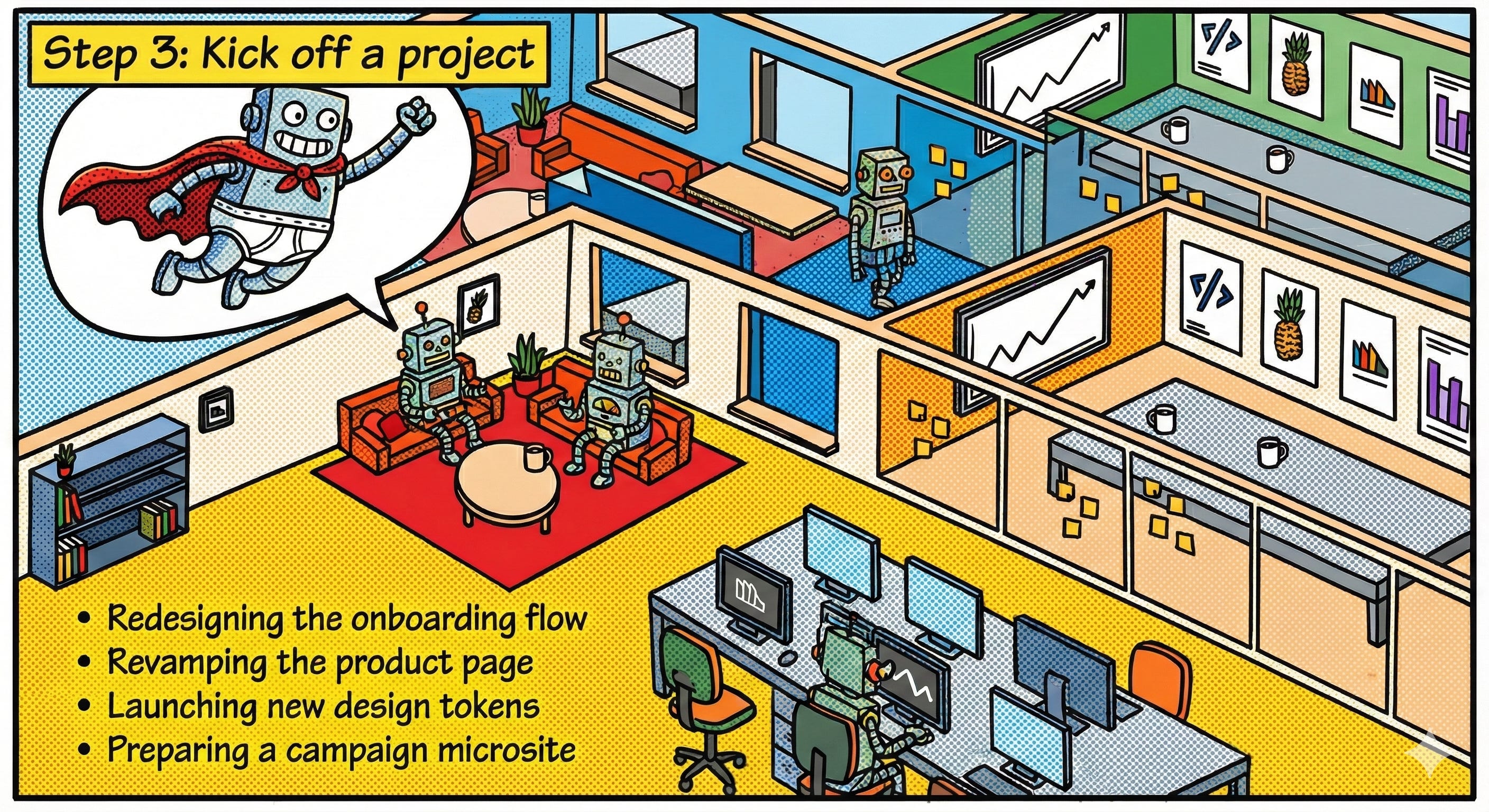
Create a dedicated chat thread for each project
Treat every initiative like its own “workspace.”
Examples:
Redesigning the onboarding flow
Revamping the product page
Launching new design tokens
Preparing a campaign microsite
Why separate threads? Because each initiative has its own context, stakeholders, and constraints. Your copilot can track every nuance and decision without getting overloaded or mixing up projects.
Start with a messy brain dump
Here’s your starting prompt (customize it!):